 FOREST
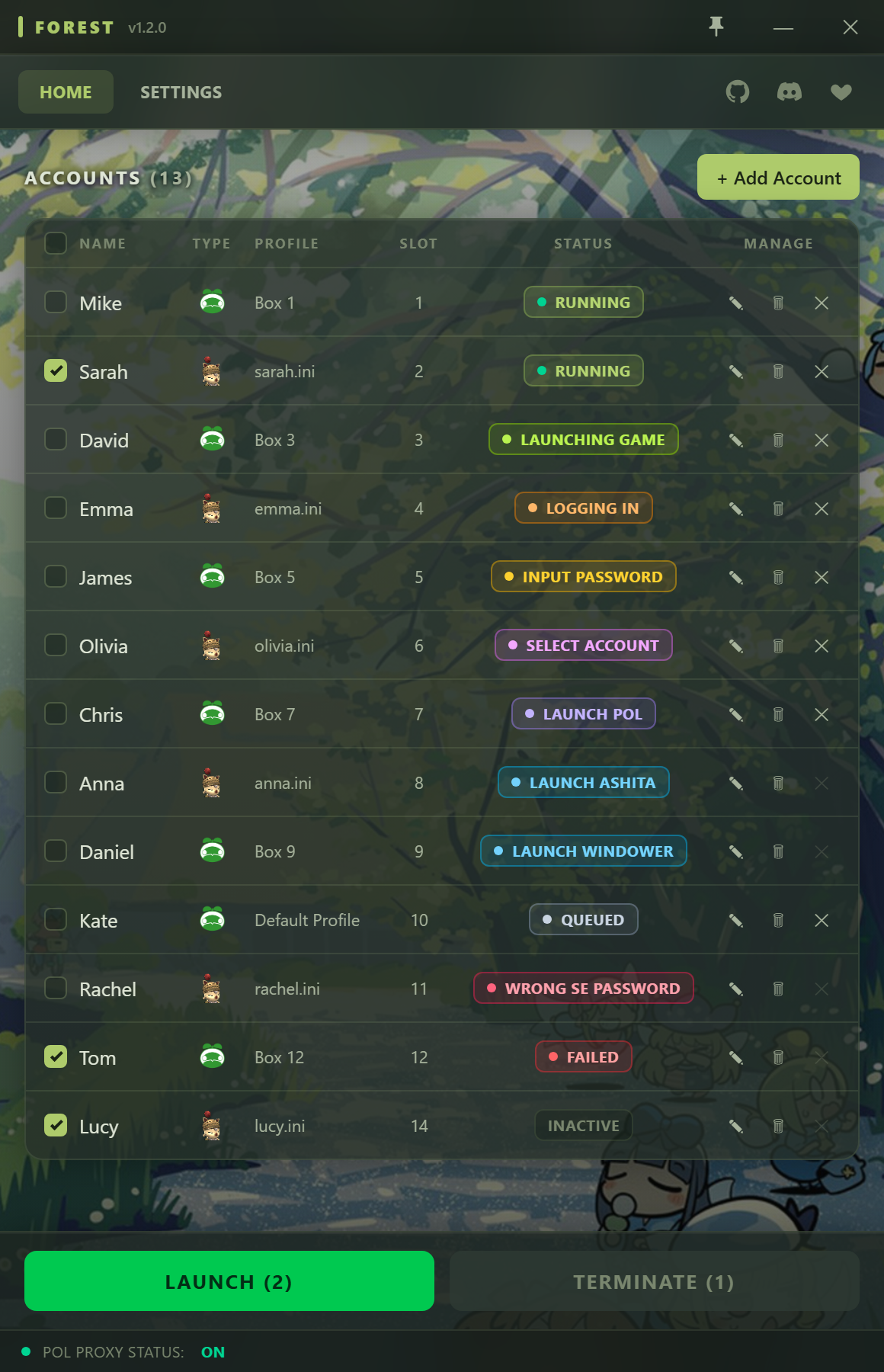
Features
Hands-Free Login
Logs accounts in without the PlayOnline window needing focus.
Native Multibox Support
Launch multiple accounts automatically with one button.
Windower & Ashita v4
Pick the launcher per account — Windower profile or Ashita boot config.
Secure Credentials
Passwords are encrypted at rest with Windows DPAPI and only ever decrypted in-process.
POL Proxy Built-In
Skips the PlayOnline network step and manages the hosts file for you automatically (requires admin).
Auto Character Login
Optionally walks the post-login screens (Notice, Title, Character Select) all the way into the game, to your chosen character slot.
Getting Started
- Download the latest release below and unzip it anywhere on your PC.
- Run
Forest.exeas administrator (DLL injection and POL Proxy require it). - Open Settings and set your Windower and/or Ashita-cli executable path. Forest auto-detects the bundled
treesfolder for you. - Click Add New Account — enter a name, SE password, PlayOnline member-list slot, and launcher + profile. Optionally set an in-game character slot.
- Tick the accounts you want to login and click LAUNCH.
First launch reads your accounts from an encrypted local store; nothing is sent anywhere.
Requirements
- Windows 10 / 11.
- .NET 9 Desktop Runtime (the "Run desktop apps" x64 installer).
- Final Fantasy XI installed.
- Windower and/or Ashita v4 installed.
- Run as administrator.
Support & Community
Need help getting set up, run into a problem, or want updates and to share feedback? Join the Forest Discord.
Join the Forest DiscordDownload
Grab the latest build from the GitHub releases page, unzip, and run Forest.exe as administrator.
Source code: github.com/suspiciousman3187/Forest